




Tworząc video tutorial Nieszablonowy projekt Java do portfolio, zewnętrzne API, Java Sound, Speak Random Chuck Norris Jokes, dostępny na YouTube, wspominałem, że powstaną kolejne części, które będą kontynuacją. Tak, też się stało kolejna, pierwsza część jest już dostępna.
Why my video tutorial, what is so unique about it? Answer below.
Video tutorial pokazuje jak umieścić istniejący projekt na GitHub jako element portfolio. Czas trwania 25 minut.
Nie jest to kolejny poradnik z serii „nauka poleceń git – clone, commit, push”.
Pokazuje on pracę z git z perspektywy osoby na stanowisku Java Developera – tak jak w prawdziwej pracy.
By purchasing this video tutorial, you get lifetime, unlimited access to the material through my blog account. Video tutorial available from any device through a web browser.
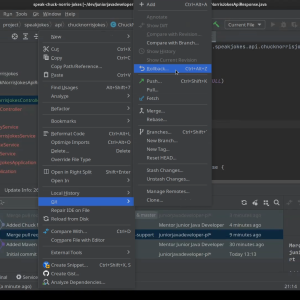
It consists of the following elements:
- Tworzenie repozytorium git na GitHub.
- Klonowanie projektu w IntelliJ IDEA.
- Przenoszenie projektu i umieszczanie na git oraz GitHub.
- Praca z branch’ami.
- PullRequest i code review.
- Polecenia commit i push.
- Korzystanie z git z poziomu IntelliJ.
- Porady typu, co robić, a czego unikać.
The video tutorial can be a separate whole, it can be part of the video course "Unconventional Java project for portfolio, external API, Java Sound, Speak Random Chuck Norris Jokes", parts of the video course:
- git, putting the project on GitHub.
- Adding the Spring Framework to an existing project.
- Adding the Hibernate to the project.
The knowledge I presented I did not acquire in "one day", it is the result of "compilation" of knowledge from various sources with the deliberate omission of - "a well-trained tourist information employee" - artificial intelligence, AI.
Photo by me, as a background tool IntelliJ IDEA – the Leading Java and Kotlin IDE.

 English
  Polski